Desktop app

YOUR FOLDER.
ANYWHERE.

Just download and run the app on your PC, link it to your account and reach your files from any browser on any device, wherever you are

Nothing is stored on our servers

Free. No storage limits, because there is no storage on our side.

One folder- Any browser- Direct from your PC- No port forwarding- No cloud storage- Windows / macOS / Linux- One folder- Any browser- Direct from your PC- No port forwarding- No cloud storage- Windows / macOS / Linux- One folder- Any browser- Direct from your PC- No port forwarding- No cloud storage- Windows / macOS / Linux- One folder- Any browser- Direct from your PC- No port forwarding- No cloud storage- Windows / macOS / Linux- One folder- Any browser- Direct from your PC- No port forwarding- No cloud storage- Windows / macOS / Linux- One folder- Any browser- Direct from your PC- No port forwarding- No cloud storage- Windows / macOS / Linux-

How it works

01

Create an account

Email and a password, or your Google account. It is free and takes a minute. This is what your folder will be tied to.

Sign up
02

Install and pick a folder

The app sits quietly in your tray. Choose which folder to share. Everything else on the machine stays invisible.

03

Link the computer

A short code ties this machine to your account. No router settings, no static IP, no ports to open.

04

Open it from anywhere

Sign in on any device and the folder is there. Browse, preview, upload, download, grab a whole folder as a zip.

Why it is different

The files never leave your computer.
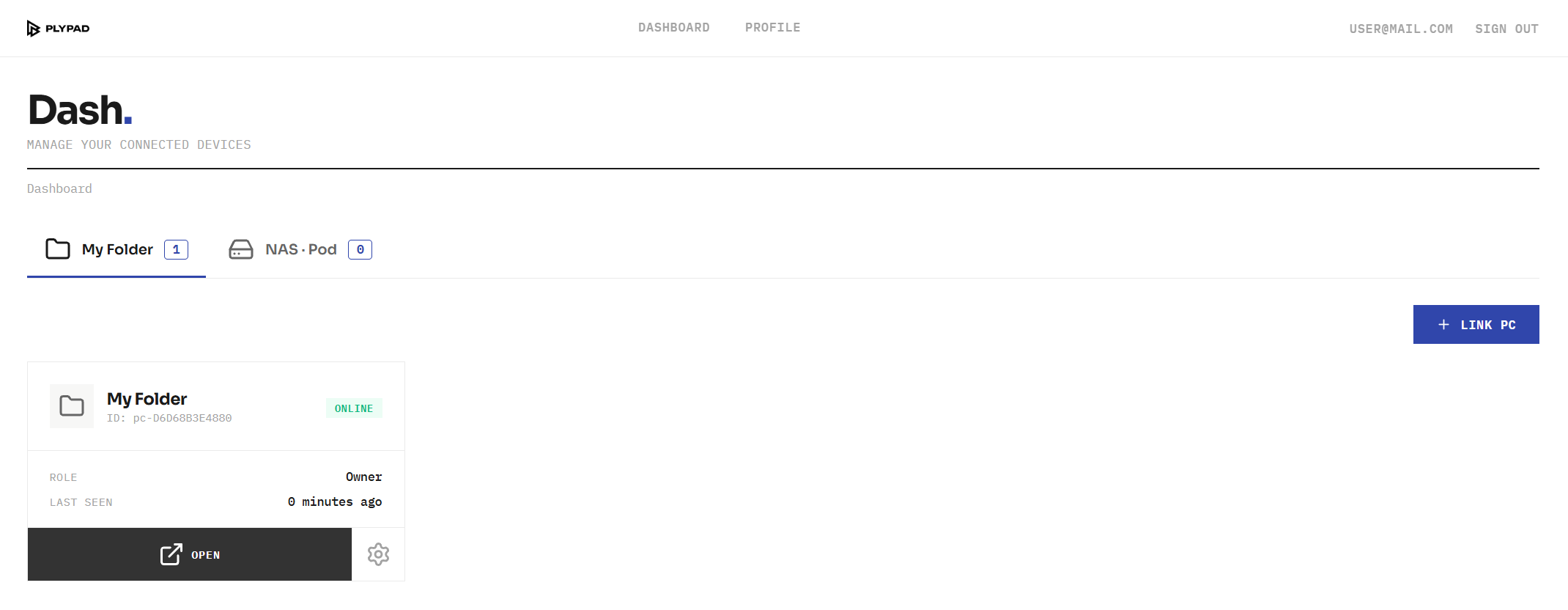
Plypad dashboard: your computer, online

No copy on our servers

We help the two sides find each other and then step out of the way. The bytes go straight from your machine to your browser.

No storage plan

There is no quota to run out of. The limit is the free space on your own disk.

Nothing to configure

No port forwarding, no VPN, no dynamic DNS. It works from behind an ordinary home router.

Only you

The folder is tied to your account. The connection is encrypted end to end between the two devices.

Worth knowing

Your computer has to be awake. This is remote access to a real folder, not a copy in a data centre. If the machine is off, the folder is off.

It is not a backup. Nothing is duplicated anywhere. Delete a file here and it is gone, the same as deleting it on the machine itself.

Speed follows your upload. Files come from your home connection, so its upload speed sets the pace.

Under the hood

For the curious. How the connection is made and what protects it.

WebRTC

A direct link, not an upload

Your browser and your computer open a peer-to-peer channel and move the bytes between themselves. The same technology video calls use.

DTLS

Encrypted the whole way

The channel is encrypted between the two endpoints. Encryption is not optional in WebRTC, there is no unencrypted mode to fall back to.

ICE / STUN

Finding a path without you

The two sides probe the network and agree on a route through your router by themselves. That is why there is nothing to forward or configure.

No relay

We are not a middle hop

The free app is issued no relay servers at all. If a direct path cannot be found, the connection simply does not open. It never quietly reroutes your files through us.

Loopback only

Nothing is exposed on your network

The app listens on your machine alone, never on the local network. Requests are checked against the address and origin they claim to come from before anything is served.

Your account

Tied to one owner

A computer is linked to your account with a one-time code. Only a session signed in as you is introduced to it.

Where we do sit: the introduction. Our server helps the two sides discover each other and hands over the connection details, then steps aside. It carries no file data, but it is part of the chain, so the honest summary is that you trust us to make the introduction faithfully, not to hold your files.

Get started

One folder. Any device. Nothing to set up.

Create an account, install the app, and your folder is with you wherever you sign in.